CDM interactions
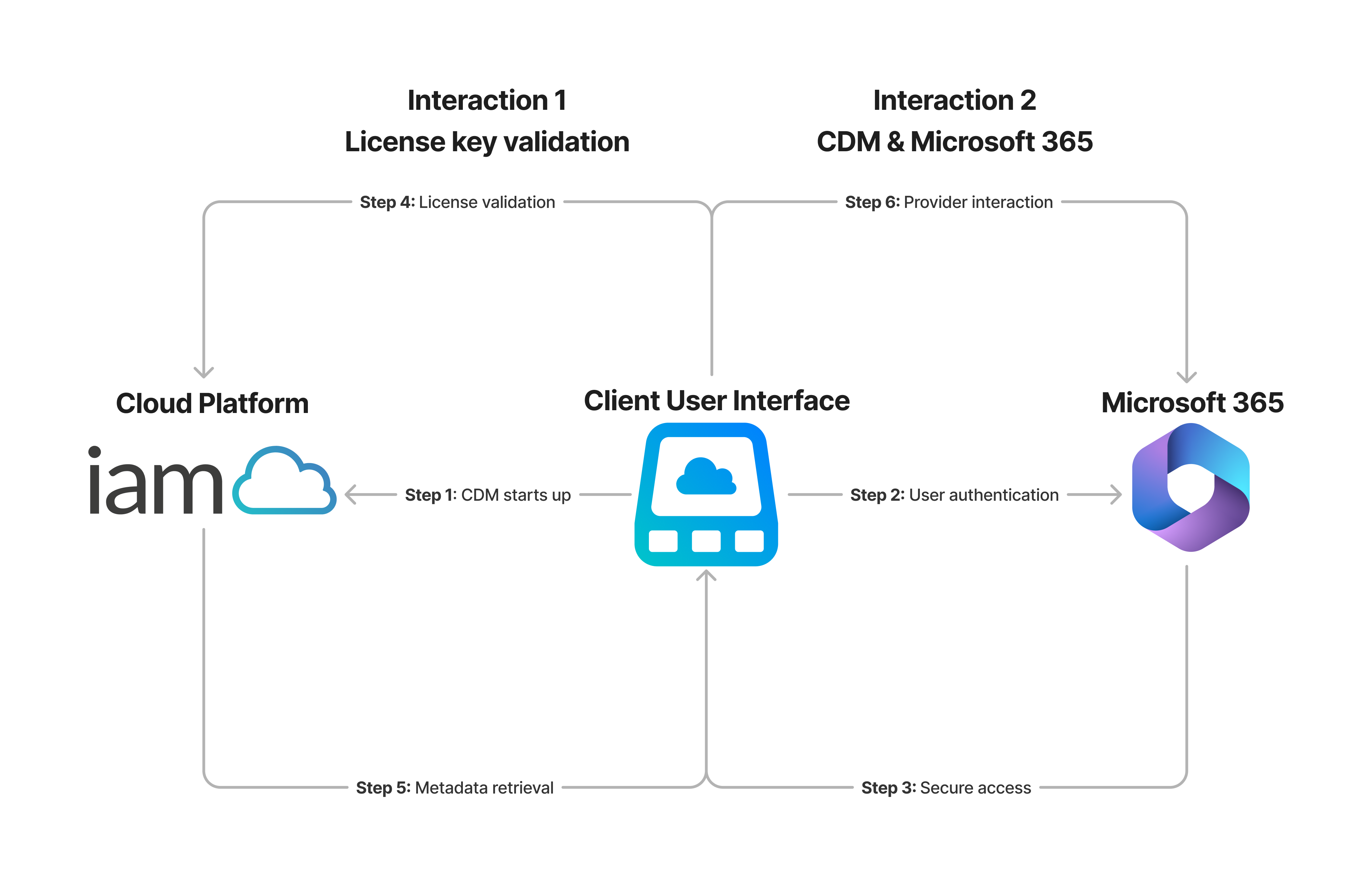
CDM has two core interactions—one with our cloud platform and the other with Microsoft 365.
-
Step 1 As soon as CDM starts up, it calls Bifrost (the IAM Cloud API hosted on our cloud platform) to retrieve its initial instructions in the form of a startup policy.
-
Step 2 To integrate with your Microsoft 365 tenant, CDM needs access to Microsoft APIs such as Microsoft Graph and SharePoint REST APIs. To do so, CDM retrieves the local user's User Principal Name (UPN) and, via the MSAL framework, attempts to authenticate to Microsoft 365 on your behalf.
-
Step 3 On successful authentication, Microsoft 365 provides an authorized access token to CDM. This process fully complies with SSO, MFA, and conditional access as CDM adheres to the security settings configured for your Microsoft 365 tenant. Permissions configured in Microsoft Entra ID govern the relationship between CDM and Microsoft APIs.
-
Step 4 Once you're signed in, CDM retrieves your license key from the Registry (HKCU or HKLM registry hives) and calls Bifrost again to confirm the validity of your license.
-
Step 5 Bifrost responds by returning metadata about drives, mapping groups, and policy configurations associated with your license key.
-
Step 6 CDM uses the metadata from Bifrost (the IAM Cloud API) to determine what drives to map. The communication between CDM and your Microsoft 365 account is protected using a Transport Layer Security (TLS) 1.2 or higher-encrypted HTTPS connection.